Platform
Mobile App Privacy
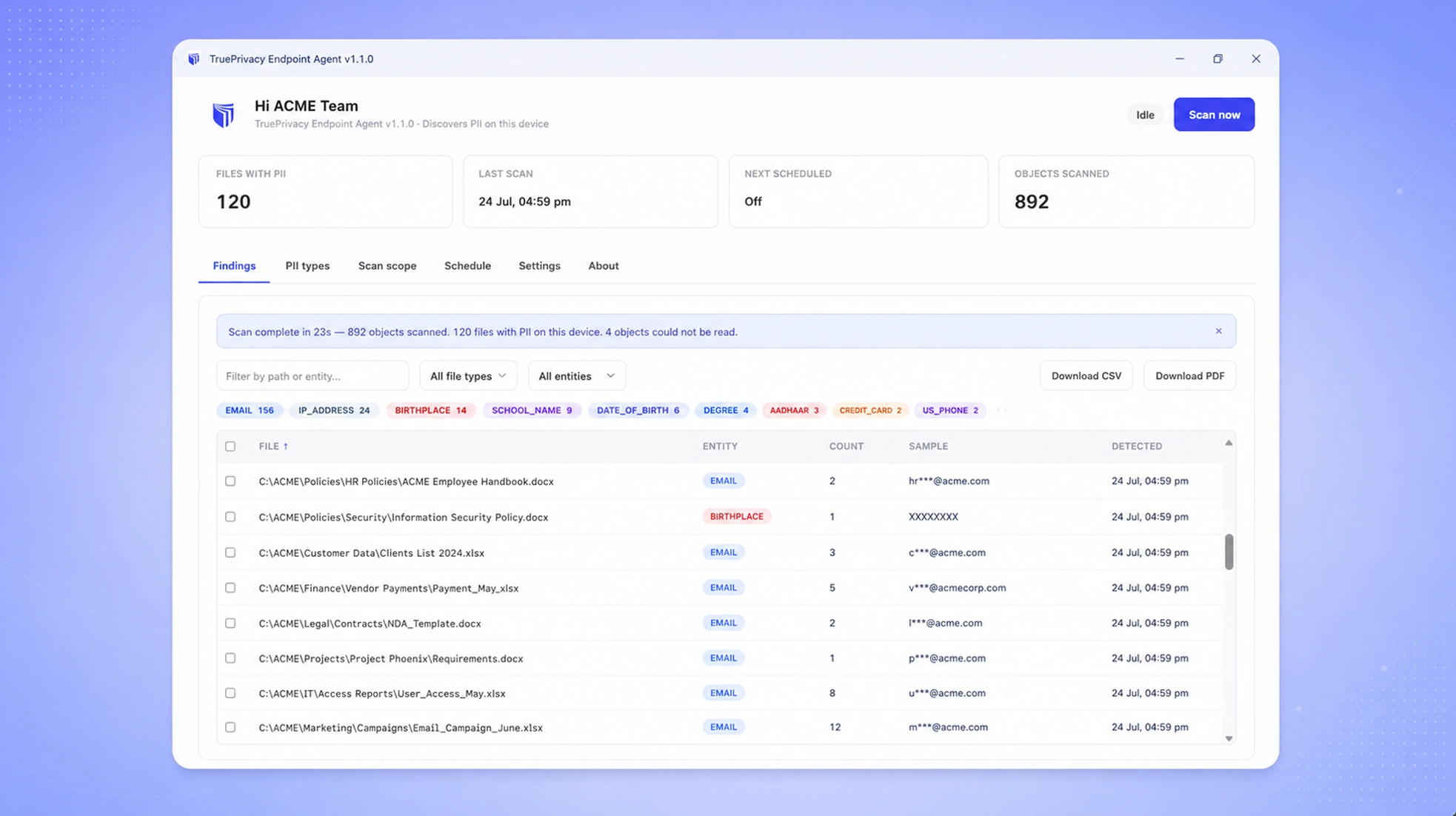
Mobile apps are one of the highest-risk surfaces for privacy violations. TruePrivacy scans your apps for tracking SDKs, over-collection of permissions, and App Store privacy label accuracy.
Benefits
Why teams choose Mobile App Privacy
SDK Scanning
Detect all third-party SDKs in your app and assess their data collection practices.
Permission Analysis
Identify dangerous permissions and alert when apps request more than they need.
Privacy Label Verification
Verify Apple App Store and Google Play data safety form accuracy.
Multi-Regulation Checks
Specific compliance checks for GDPR, CCPA, DPDP Act, and other applicable regulations for mobile applications.
Capabilities
What Mobile App Privacy does
SDK & Tracker Detection
Static and dynamic analysis detects all third-party SDKs embedded in your app binary — advertising networks, analytics SDKs, social login, and device fingerprinting libraries — and assesses what data each one collects.
Permission Analysis
Identify all device permissions your app requests — location, camera, microphone, contacts, and others — and flag cases where the permissions requested exceed what your stated functionality requires.
Network Traffic Interception
Dynamic testing intercepts outbound network traffic from the app to identify all endpoints receiving personal data, including undocumented third-party data flows that are not visible from static analysis alone.
Privacy Label Verification
Automatically audit your Apple App Store Privacy Nutrition Label and Google Play Data Safety form against the actual data collection behavior observed in testing. Flag discrepancies before they result in App Store rejections or regulatory action.
Regulation-Specific Checks
Compliance checks tailored to GDPR, CCPA, DPDP, and COPPA requirements for mobile applications, including specific checks for children's apps, health data handling, and cross-border transfer requirements.
CI/CD Integration
Integrate mobile scanning into your build pipeline so privacy compliance is checked automatically on every release candidate. Configurable fail conditions can block releases that introduce new high-risk trackers or permission changes.
How It Works
From setup to compliance
A few straightforward steps — no consultants required.
Upload Your App Binary
Upload your iOS IPA or Android APK/AAB to TruePrivacy directly or via the CI/CD integration. Scanning begins immediately after upload.
Static & Dynamic Analysis
TruePrivacy performs static analysis of the binary to detect SDKs and permissions, then runs the app in an instrumented environment to intercept live network traffic and observe runtime behavior.
Review Findings
Findings are presented in a structured report organized by severity. Each finding includes a description, the specific code or behavior that triggered it, and recommended remediation steps.
Remediate & Rescan
Address findings with your development team and rescan to confirm they are resolved. Maintain a scan history to demonstrate continuous compliance monitoring across app versions.
Included
Everything in the box
- iOS and Android support
- 300+ SDK database
- Permission analysis
- Network traffic interception
- App Store privacy label audit
- CI/CD integration for automated scanning
FAQ
Frequently asked questions
Yes. TruePrivacy scans iOS apps (IPA format) and Android apps (APK and AAB format). Both platforms receive equivalent depth of analysis including static binary analysis, dynamic instrumentation, and network traffic interception.
Yes. TruePrivacy provides a CLI tool and GitHub Actions integration that can trigger scans automatically when a release build is created. You can configure the action to fail the build if findings above a configured severity level are introduced, preventing privacy regressions from reaching production.
This is one of the most common mobile privacy issues TruePrivacy detects. When a third-party SDK collects data beyond what your privacy label or notice discloses, TruePrivacy flags it as a critical finding. The finding includes details of what data is being sent and to which endpoint, giving your development team the information needed to either remove the SDK or update your privacy disclosures.
TruePrivacy analyzes the compiled binary output of cross-platform frameworks including React Native, Flutter, Xamarin, and Cordova. Framework-specific JavaScript or Dart bundles are also analyzed for embedded tracker patterns. Results are presented identically regardless of the underlying framework.
Yes. After scanning your app, TruePrivacy generates a draft privacy label in the exact format required by Apple, populated with the data categories and purposes observed during analysis. Your team reviews and confirms the draft before submitting it to App Store Connect, with confidence that it accurately reflects your app's behavior.
Ready to automate Mobile App Privacy?
Join hundreds of teams using TruePrivacy to manage privacy operations at scale.
Free 14-day trial · No credit card required · Setup in minutes